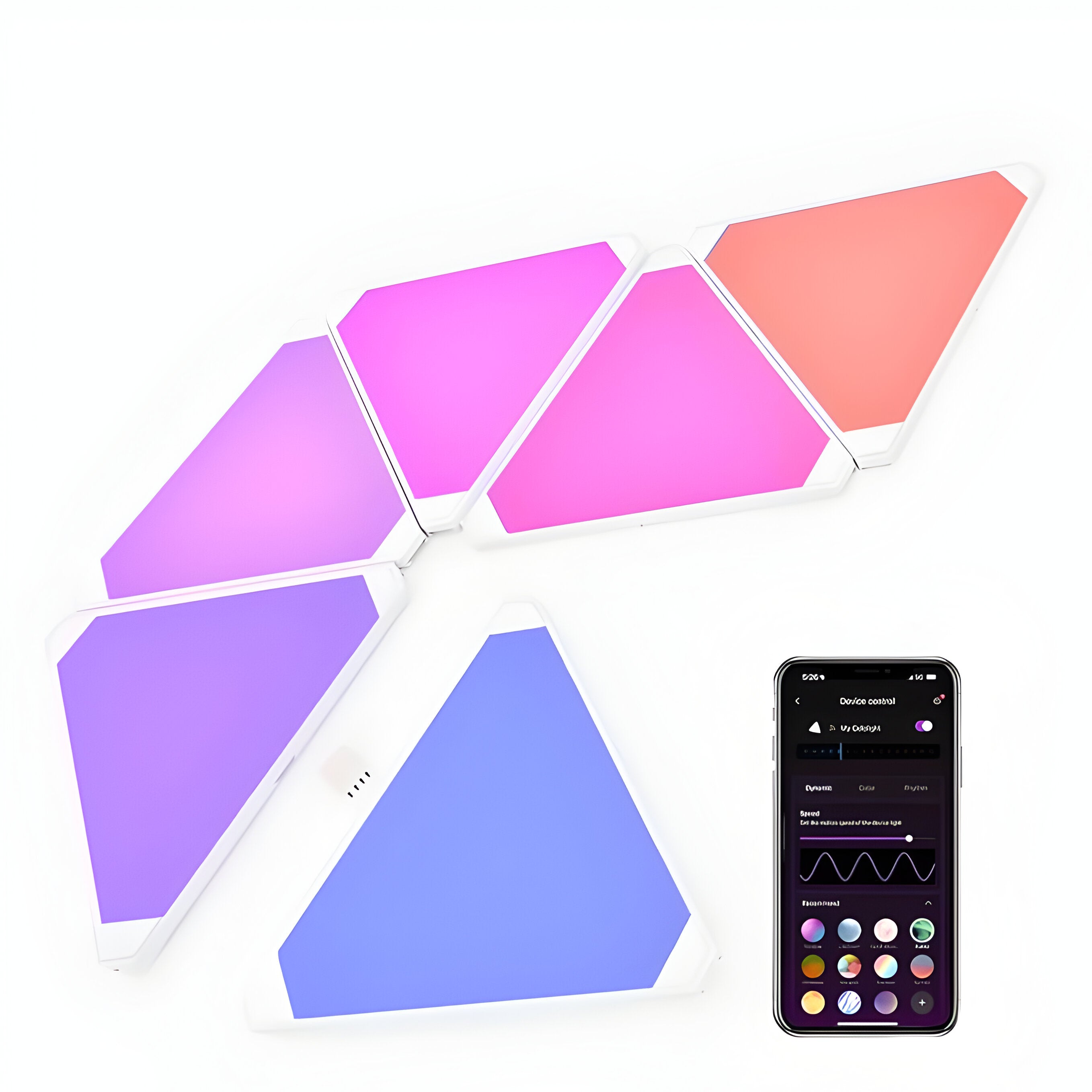



Mitsuko Fantasia Triangle Light Panel
Multicolor RGBIC Effects, Tv Sync, DIY Design, Compatible with Ambimotion Sync Box,Alexa &Google Assistant for Room, Gaming, Movies and Wall Decor
MRP:
Couldn't load pickup availability
Description
Triangle LED light panels that sync with your screen
Nine modular triangular panels you arrange yourself — an arrow above a desk, a mountain range across a wall, a cluster climbing a corner. Each panel lights independently, so colour moves across the layout instead of every panel showing the same flat shade.
Paired with an AmbiMotion sync box, the panels take colour from your screen in real time. On their own, they run scene modes, music sync and 16 million colours from your phone.
Build the shape your wall needs
Triangles are the more directional of our two panel shapes. They point, they climb, they run in lines. Hexagons pack into dense honeycomb blocks; triangles make arrows, peaks and angular runs across a wall.
Because they connect edge to edge, the layout isn't fixed. Start with one arrangement and rearrange whenever you move the desk.
RGBIC — more than one colour at a time
Standard RGB lighting shows a single colour across the whole unit. RGBIC controls segments individually, so different panels — and different parts of a panel — run different colours simultaneously.
That's what makes a triangle layout worth having. A gradient runs across the arrangement, colour travels from one panel to the next, and the shape reads as a piece of lighting design rather than a glowing block.
Screen sync needs an AmbiMotion sync box
Fantasia wireless sync connects the panels to an AmbiMotion sync box. The box reads what's playing on your TV, and the panels take their colour from the same source — so the wall behind your TV and the panels beside it move together.
Without a sync box, the panels still work. You get scene modes, music sync, 16 million colours and full app control over WiFi. Screen sync is the feature that needs the box.
If you already own an AmbiMotion kit, the panels pair with it. If you don't, they work standalone and you can add screen sync later.
Music mode
Switch to music mode and the panels react to audio — beat, volume and frequency travelling across the layout. Useful when the screen isn't the thing you're watching.
Planning your layout
Lay it out on the floor first
Arrange the panels flat before you mount anything. Step back and look at the shape from a distance — a pattern that looks balanced up close often reads differently from across the room.
Mark the wall before you commit
Panels are larger in person than most people expect. Tape out the outer edges of your planned arrangement on the wall first, and leave clearance from the ceiling and any shelving.
Nine panels is enough for a real statement
Because each panel lights separately, colour travels across the arrangement rather than everything changing at once. With nine, that movement is obvious rather than subtle — a gradient genuinely runs across the wall instead of hinting at one.
Installing them
- Clean the wall. Adhesive mounting needs a dry, dust-free, fully cured surface — give freshly painted walls a few weeks first.
- Connect the panels edge to edge in your chosen layout.
- Mount them one at a time, working out from your starting panel and pressing firmly for thirty seconds each.
- Connect to WiFi through the Smart Life app.
- Pick a scene, or pair with your AmbiMotion sync box for screen sync.
No drilling required, which matters in a rented flat.
App and voice control
The panels run on the Smart Life app, free on Android and iOS, connecting over WiFi. Colours, brightness, scenes and modes are all controlled from your phone.
They also work with Alexa and Google Assistant, so you can switch scenes or dim them by voice.
Common questions
How many panels do I get?
Nine. Enough for a substantial arrangement above a desk, behind a bed, or running across a feature wall.
Do I need an AmbiMotion sync box?
Only for screen sync. Without one you still get scene modes, music sync, 16 million colours and app control. With one, the panels follow whatever's playing on your TV.
Which app do I need?
Smart Life, free on the Play Store and App Store. Our monitor products use different software, so make sure you're downloading the right one.
Do I need to drill?
No. Panels mount with adhesive backing. Surface preparation is what matters — clean, dry and fully cured.
Can I mix triangles and hexagons?
They're separate shapes with their own connectors, so they don't interconnect — plan each as its own arrangement. Both sync to the same source, so they'll move together on the same wall.
Buying from Mitsuko
One year warranty, free shipping across India, 7-day replacement, and GST billing for business purchases. Support comes directly from our team in Amritsar.
See the full range of LED wall panels and smart wall lights.