


Mitsuko AmbiMotion 2.0 Pro TV LED Backlight + 2 Light Bars
with HDMI 2.0 Sync Box + HDMI Sync Bar Light Immersive RGBIC Backlight for 32-90 inch TVs TV Light Strips Sync TV Lights for Games Music Movies (below 65 Inch)
MRP:
Couldn't load pickup availability
Description
The complete kit — backlight and light bars together
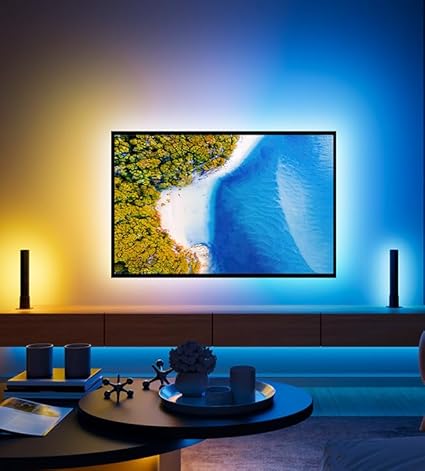
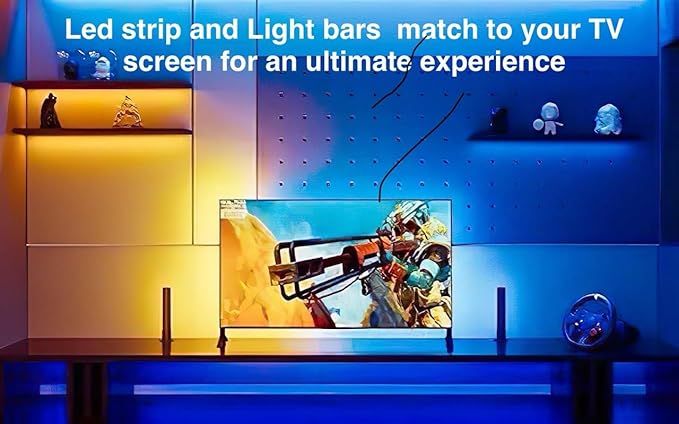
A backlight strip lights the wall behind your TV. Light bars light the space around it. AmbiMotion 2.0 Pro gives you both, running off the same sync box, so colour fills the room rather than outlining a rectangle.
Everything reacts to what's on screen in real time. Dark scenes stay dark, a blue sky spills blue across the wall and into the corners of the room.
What's in the kit
- LED light strip for the back of the TV
- Two light bars for either side of the screen
- Sync box — included, never a separate purchase
- Power supply, adhesive mounting and corner clips
Buying the strip and bars separately costs more and leaves you configuring two systems. This is one kit, one sync source, one setup.
RGBIC — more than one colour at a time
Standard RGB strips show a single colour along their whole length. RGBIC controls segments individually, so different parts of the strip run different colours simultaneously.
For screen sync that matters: a scene with a red sunset on one side and blue water on the other renders as red on one side of your TV and blue on the other, instead of averaging into purple. 16 million colours, and you can personalise each segment manually if you'd rather set your own pattern.
How it works
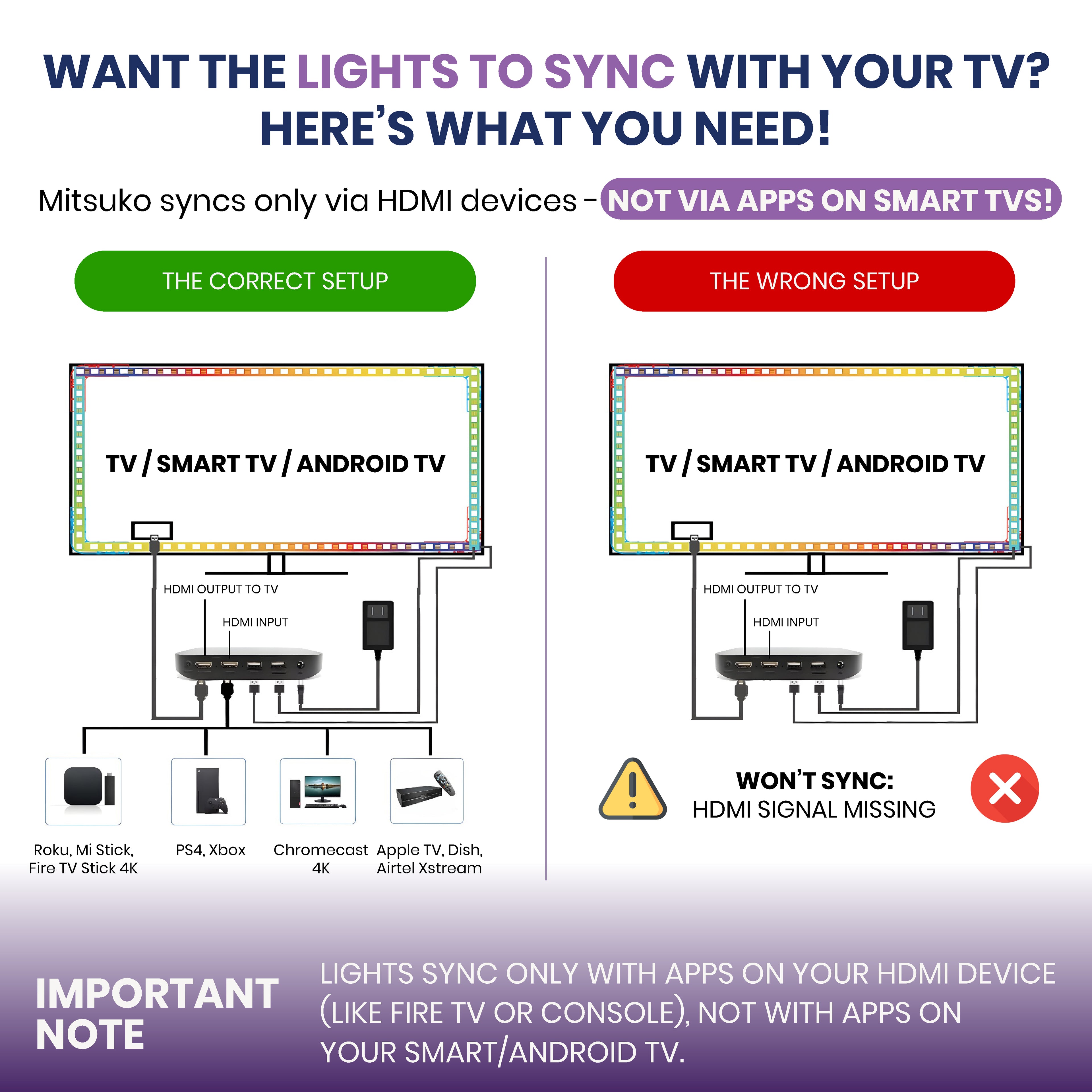
The sync box sits between your device and your TV. Your Fire TV Stick, Jio or Airtel set-top box, Chromecast, Apple TV or console plugs into the box, and one HDMI cable runs from the box to the TV. Everything travels through the box, so it can read the picture and drive both the strip and the bars to match.
You need an external HDMI device plugged in. Apps built into your smart TV don't pass through the sync box, so they can't sync. Run Netflix, Prime Video and Hotstar from a Fire TV Stick or set-top box instead and everything syncs normally.
More detail here: Do I need a Fire TV Stick for a TV backlight?
4K at 60Hz
The sync box passes 4K at 60Hz through untouched — full quality for films, streaming and everyday viewing.
If you game at 4K 120Hz on a PS5 or Xbox Series X, you want an HDMI 2.1 kit instead. AmbiMotion 2.1 handles 4K 120Hz with VRR and ALLM.
Bend it, don't cut it
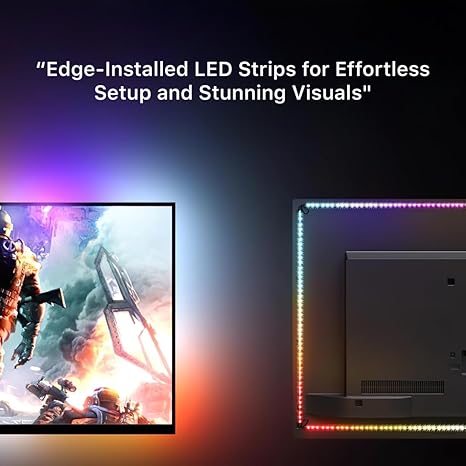
The strip flexes around corners without cutting or joining, so you can shape it to your TV in one continuous run. Fewer joins means fewer failure points and a cleaner install.
Which size do I need?
Three variants cover 27 to 120 inches:
- Up to 65 inches — most living room and bedroom TVs
- 65 to 90 inches — large living room and home theatre screens
- 90 to 120 inches — projector screens and very large panels
Measure the back of your TV, not the screen diagonal. Run a tape along the back panel edge to edge and pick the variant that covers all four sides with a little slack at the corners. Screen size and back panel size aren't the same number, and this is the most common sizing mistake.
App and voice control
AmbiMotion 2.0 Pro runs on the Smart Life app, free on Android and iOS. Strip and bars are controlled together — colours, brightness, scenes and sync modes. It also works with Alexa and Google Assistant.
Installing it
- Clean the back of your TV. The adhesive needs a dust-free surface — this is the difference between a strip that stays up for years and one that peels in a month.
- Peel and stick the LED strip around the back panel edge, bending it at the corners rather than cutting.
- Place the two light bars either side of the screen, angled slightly outward so light spreads across the wall.
- Plug your streaming device or console into the sync box, and run one HDMI cable from the box to your TV.
- Power everything, pair in the Smart Life app, and switch your TV to the HDMI input the box is on.
Common questions
Do I need the light bars, or is the strip enough?
The strip alone works well if your TV sits close to a wall. Bars add depth in the room in front of the screen, which matters more on a larger TV or in a room where the wall wash alone looks thin. If you want just the strip, see AmbiMotion 2.0.
Which app do I need?
Smart Life, free on the Play Store and App Store. Our monitor products use different software, so make sure you're downloading the right one.
Does Netflix sync?
Yes, as long as you play it from a device connected to the sync box rather than the TV's built-in app.
Will it work on a curved TV?
Yes. The strip flexes along the panel edge. Measure the back panel as you would with a flat screen.
Buying from Mitsuko
One year warranty, free shipping across India, 7-day replacement, and GST billing for business purchases. Support comes directly from our team in Amritsar.
Browse all TV backlight kits.